I still remember the "copy-paste injury" days. My wrists would ache, my eyes would glaze over, and I would spend the entire first week of every month trapped in a spreadsheet hell, praying that a cell reference didn't break. If you’ve ever accidentally pasted data from an organic traffic report into a paid search column, you know exactly what I’m talking about. You don't just lose time; you lose your sanity.
When someone asks me, "Is it actually realistic to save 4 hours reporting every month per dashboard?" my answer is always the same: You’re aiming too low. Saving four hours isn't a goal; it's the baseline for survival in a modern agency. If you aren't saving that time, you aren't just wasting money—you’re losing your team's ability to actually do the work that moves the needle for your clients.
In this post, we’re going to break down the math, look at why manual labor is killing your margins, and discuss how to transition into automated dashboards without losing the personal touch your clients pay for.
The Cost of "Excel Copy-Paste Time"
Let’s get the math on the table, because vague ROI claims drive me up the wall. If you are an account manager or an SEO specialist, your hourly rate isn't just your paycheck—it’s the cost of your capacity.
Let’s assume you have 15 clients. If you spend 4 hours per client manually gathering data, formatting graphs, and triple-checking that the numbers actually match what you see in GA4 (which, by the way, you should be doing every single month), you are spending 60 hours a month on reporting. That is a week and a half of full-time work dedicated to nothing but moving data from Point A to Point B.
Activity Manual Hours/Month Automated Hours/Month Data Extraction (GA4/GSC/Ads) 15 0 Data Formatting/Spreadsheet Fixes 20 0 Client-Specific Insights/Narrative 25 15 Total Time Spent 60 Hours 15 HoursThe time you save—that massive chunk of 45 hours—isn't just "free time." It’s time that can be reinvested into strategy, site audits, or client communication. When you reduce your excel copy-paste time to zero, you stop being a data entry clerk and start being an SEO partner.
Automated Dashboards: Beyond the "Pretty Picture"
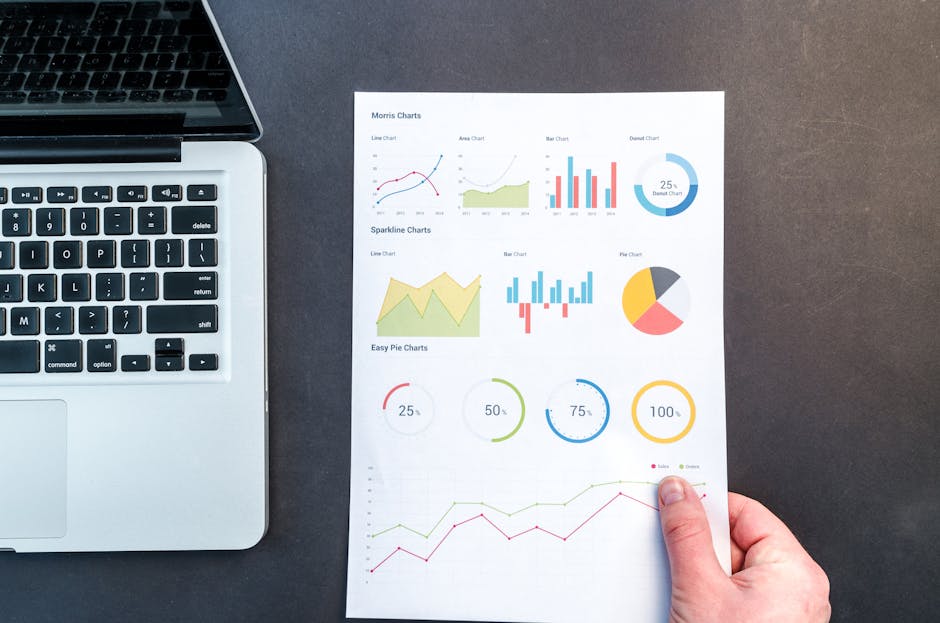
I’ve seen dozens of agencies fall into the trap of buying a tool because the dashboards look "pretty." They present a report full of colorful donut charts and generic line graphs that tell the client absolutely nothing. That is not reporting; that is decoration.
An effective automated dashboard needs to answer a specific question: "How is my investment performing relative to my business goals?"
Tools like Reportz solve this by acting as the bridge between raw data silos and client-ready insights. With Reportz.io, the goal isn't just to generate a report, but to create a living, breathing view of KPIs that the client can actually understand. When you move to an automated system, you aren't just shifting the method of delivery; you’re changing the quality of the data.
The Challenge of Multi-Source Integration
One of the biggest hurdles in automating reporting is the "all-in-one" dilemma. You have data in Google Analytics, Google Search Console, Google Ads, Meta Ads, and maybe some niche rank-tracking tools. If your reporting software doesn't play nice with these, you end up with fragmented data sets, which is arguably worse than having no data at all.
In my experience, the best platforms allow for custom integrations. If you find a data source that isn’t supported, don't just settle for a manual workaround. Active communities are your best friend here. I often check the official Facebook group for suggesting integrations when I need a niche connector that isn't on the roadmap. Being able to voice your needs directly to the development team is a massive perk of choosing a platform that prioritizes user feedback.
Also, a quick pro-tip from the ops side: always verify your API connections. Some platforms get caught up in reCAPTCHA loops when they try to scrape data from third-party sources or login portals. If you see a report failing to load, check if it’s a authentication timeout or a security hurdle. Nothing ruins a client relationship faster than a report that says "Data Unavailable."
White Labeling and Branding Control
I’ve seen agency owners get nervous about automation because they think, "If it’s automated, it loses the personal touch." That’s a misconception. True white labeling isn't just about slapping your logo on a PDF; it's about control over the narrative.
With Reportz.io, you gain the ability to provide your clients with a URL they can visit at any time. Instead of waiting for you to send a PowerPoint that they’ll likely ignore until the quarterly business review, you provide a portal that represents your agency’s brand. This autonomy builds trust. When a client can check their KPIs at 10:00 PM on a Tuesday, they are significantly less likely to fire off a panic email at 9:00 AM on a Wednesday asking where their traffic went.
White labeling is about positioning your agency as a high-value consultant, not a vendor. When the reporting portal looks like a proprietary piece of software, you’ve just increased the perceived value of your service without lifting a finger.
How to Make the Switch Without Breaking Everything
Transitioning away from manual reporting is a project, not an overnight switch. Here is how I usually handle the migration for agency teams:
Audit your current metrics: Don't just automate what you've always done. Ask the client: "Do you actually look at this page, or is it just fluff?" If they don't look at it, delete it. Sanity-Check against GA4: This is the golden rule. Never send an automated report without opening the raw data source. If the dashboard shows 1,000 sessions but GA4 shows 1,200, find out why. Is it a sampling issue? A filter difference? Your reputation is tied to the accuracy of your numbers. Set up the "Context Layer": Automated dashboards show *what* happened. You need to provide the *why*. Spend your saved 4 hours writing a brief executive summary at the top of the dashboard. That’s where the real value lies. Iterate based on feedback: Your dashboard should evolve. If a client constantly asks about a specific metric that isn't in the report, add it. If they never ask about "Bounce Rate," remove it to reduce noise.Is It Worth the Cost?
I hear this often: "But the subscription costs money, and Excel is free."
Excel is not free. You are paying for it with your time, your focus, and your potential for growth. If you are an SEO specialist, your time is worth at least $50–$100 an hour. If you save 4 hours per client, and you have 10 clients, you are saving 40 hours a month. At a conservative $50/hr, you are recovering $2,000 worth of labor. Even with a premium tool, the ROI is massive.
Moreover, the cost of human error is invisible until it’s catastrophic. A decimal point in the wrong place in a reportz.io manual spreadsheet can turn a positive campaign update into a PR nightmare. Automated systems remove the human variable from the data aggregation process.

Final Thoughts: Focus on Strategy, Not Spreadsheets
If you're still doing manual reporting, you're competing against agencies that have already automated. They are spending their saved time on content strategy, conversion rate optimization, and deeper technical analysis. They are the ones winning the clients, and they're doing it because they have the bandwidth to out-think the competition.
Saving 4 hours isn't just about productivity; it’s about professionalism. It’s about ensuring that your reporting is accurate, real-time, and consistent. Whether you use Reportz or another robust tool, stop the manual grind. Your wrists—and your clients—will thank you for it.
Stop the copy-paste injuries. Start treating your time like the limited, high-value asset it is. Because in this industry, the agencies that survive aren't the ones with the most manual effort; they're the ones with the most meaningful insights.